

For homeowners
Check your contractor invoice before you pay.
ScopeCheckup helps homeowners review contractor quotes, change orders, and invoices so they can understand what changed before they pay.
The accepted-quote check is free. No credit card required.
- Built for homeowners mid-renovation
- Works from the quote you already accepted
- Every difference shows its source document and page
- Nothing is shared with your contractor
ScopeCheckup highlights differences. It does not decide whether a charge is valid.
How it works
Step 1
Confirm your accepted quote
Upload the quote you agreed to. ScopeCheckup reads it into line items and you confirm it was read correctly.
Step 2
Add an invoice or change order
Add the document in front of you. Invoices bill against what you committed to; change orders adjust it.
Step 3
Review what changed
See each difference next to the quote line it relates to, so you can ask specific questions before paying.
Start with a free Baseline Quote Check
Before any invoice is involved, ScopeCheckup reads your accepted quote and tells you how much it actually pins down.
- Upload the accepted quote
- See it broken into line items you can review
- Get a Baseline Quality Score with what is missing or unclear
- Confirm the baseline your later documents are compared against
- No credit card required
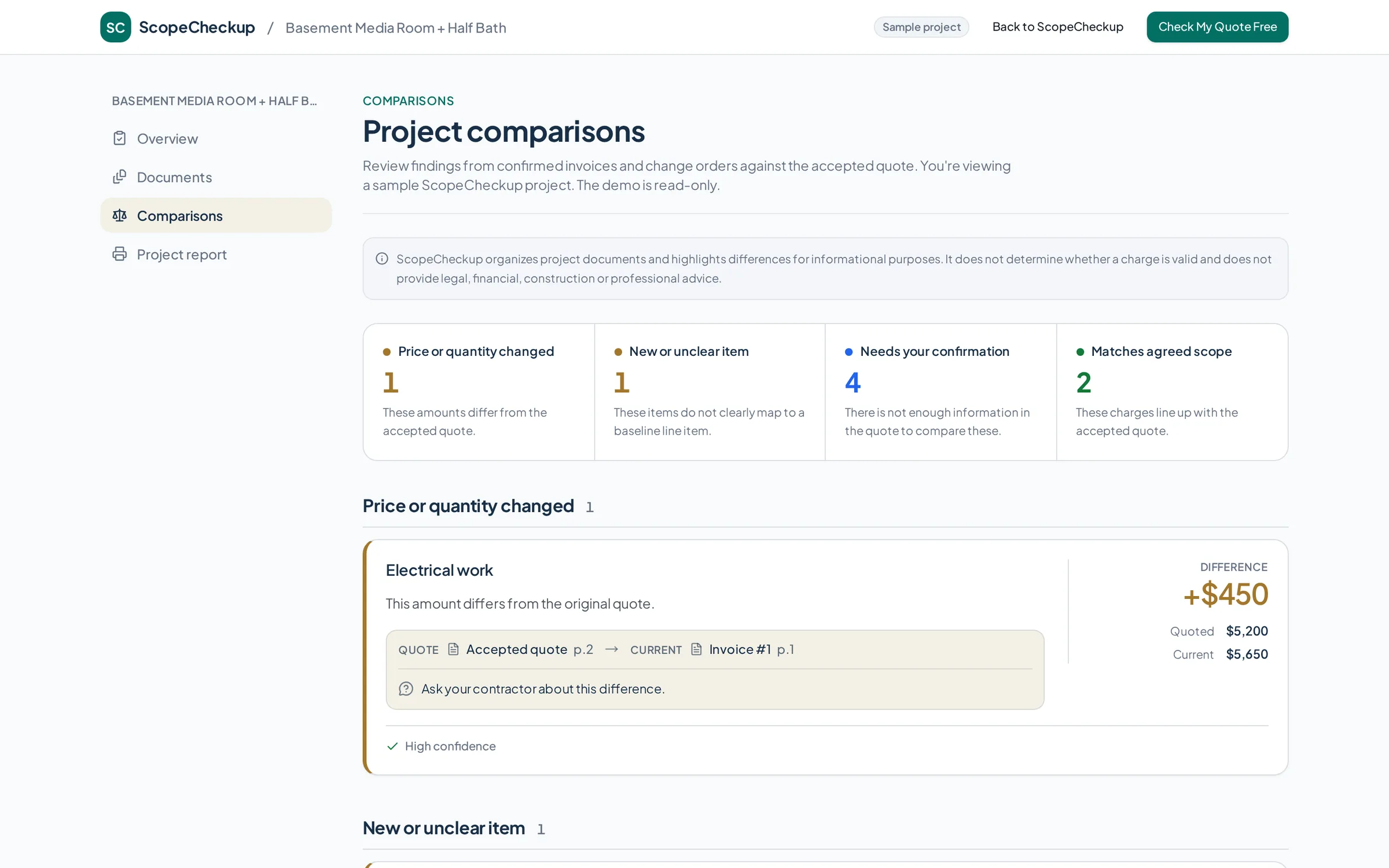
What ScopeCheckup highlights
Every line lands in one of four groups, each with a short neutral explanation and a confidence label so you know how much to rely on it.
Matches agreed scope
The charge lines up with the accepted quote.
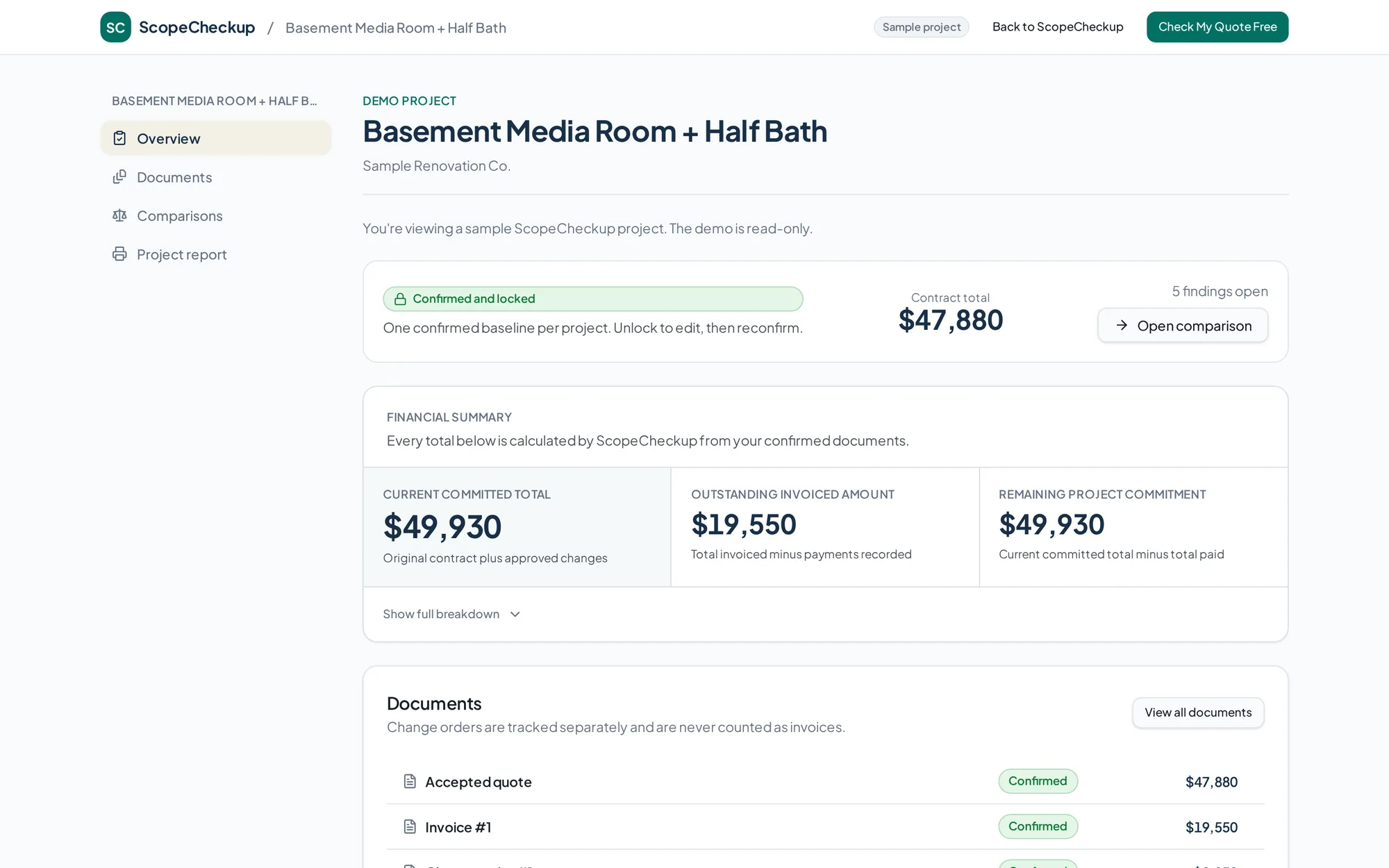
Price or quantity changed
The amount differs from the quote. A difference is ordinary, not an accusation.
New or unclear item
The item does not clearly map to a baseline line item.
Needs your confirmation
There is not enough information in the quote to compare this.
Every difference points back to a document
Each finding names the quote line it came from and the page of the current document it appears on, so you can check it yourself and ask a specific question.
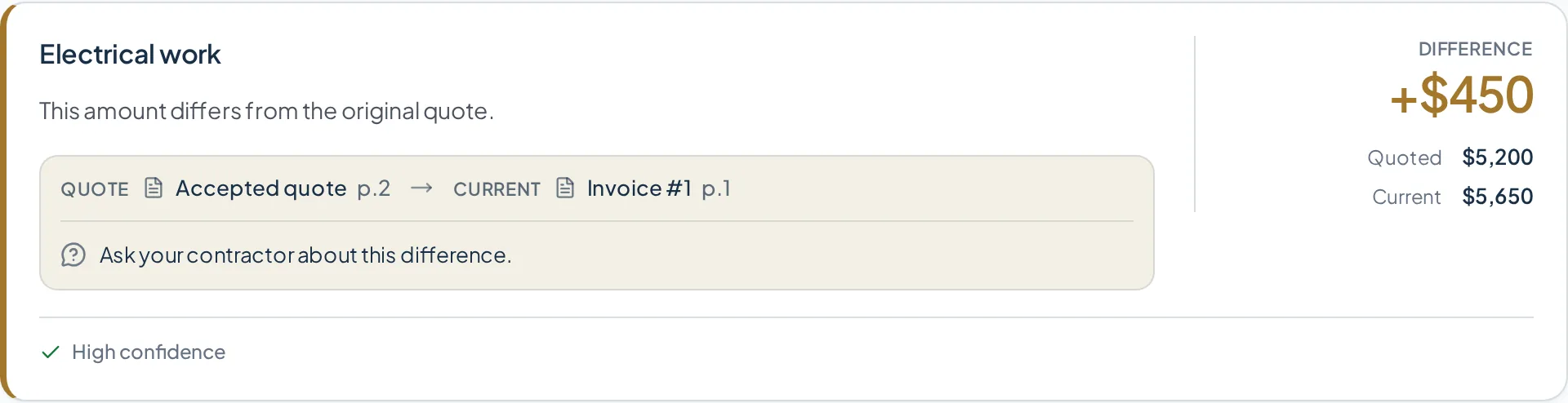
A running picture of the money
Sample figures from the demo project. Inside your own project the full eight-metric breakdown is shown, from the original contract total through to what is still outstanding.
- Current committed total
- $49,930
- Outstanding invoiced amount
- $19,550
- Remaining project commitment
- $49,930
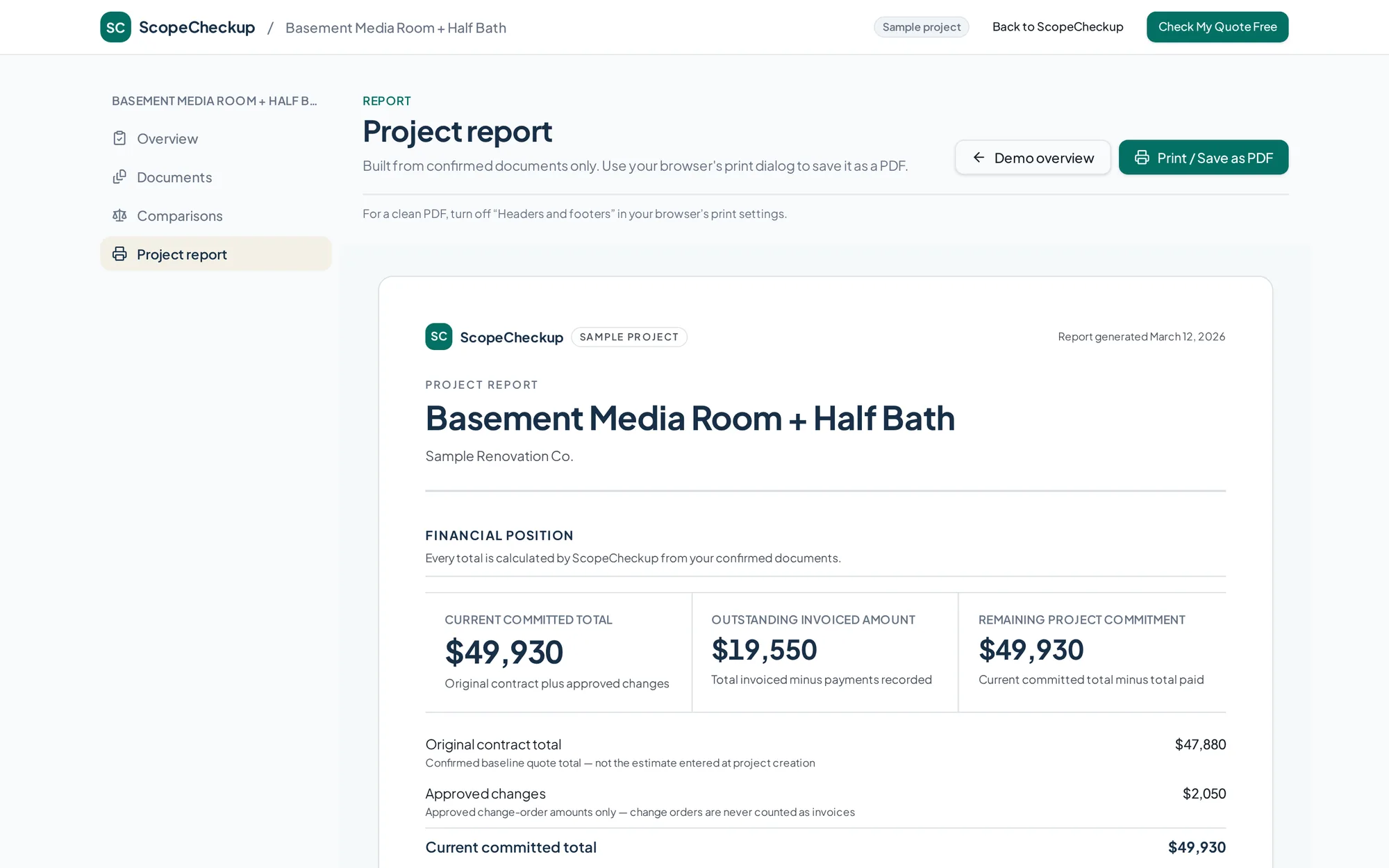
A clear project report you can save for your records
One print-friendly sheet with the confirmed documents, the financial position, the findings and their source references.
Pay once, per project
No subscription. Every payment is one time. The $19 Single Invoice Check is credited toward the $49 Project Guard price on that same project, so the upgrade costs $30.
$0one time
- One project
- Accepted quote upload
- Quote reading and line-item extraction
- Baseline Quality Score
- Review and confirm the accepted quote
- Original contract total
- Number of extracted scope items
- Allowances and missing-information checklist
Does not include full invoice or change-order comparison.
Start a free quote check$19one time
- Everything in the free Baseline Quote Check
- One confirmed invoice or change-order analysis
- Full comparison findings
- Financial summary
- Resolve findings and approve or reject changes
One-time payment for one project.
Create your project$49one time
- Everything in the free and Single Invoice Check products
- Up to ten confirmed invoices or change orders
- Ongoing financial summary
- Project document history
- Future print-friendly project report
One-time payment for one project.
Create your projectQuestions homeowners ask
Helpful homeowner guides
Practical guidance for understanding contractor quotes, invoices, change orders and renovation costs.
Invoice Review
How to Review a Contractor Invoice Before You Pay
Read guideQuotes & Invoices
Contractor Quote vs. Invoice: What Should Match?
Read guideChange Orders
Change Orders: What Homeowners Should Check Before Approving
Read guideKnow what changed before you pay.
Start with your accepted quote. The first check is free, and nothing is shared with your contractor.
ScopeCheckup organizes project documents and highlights differences for informational purposes. It does not determine whether a charge is valid and does not provide legal, financial, construction or professional advice.